

The shared path
1
Choose an amount and a cryptocurrency
The widget quotes the operation and refreshes that quote on a timer, so the rate the user confirms is the rate they get. Minimums and maximums come from the transaction limits that apply to your account.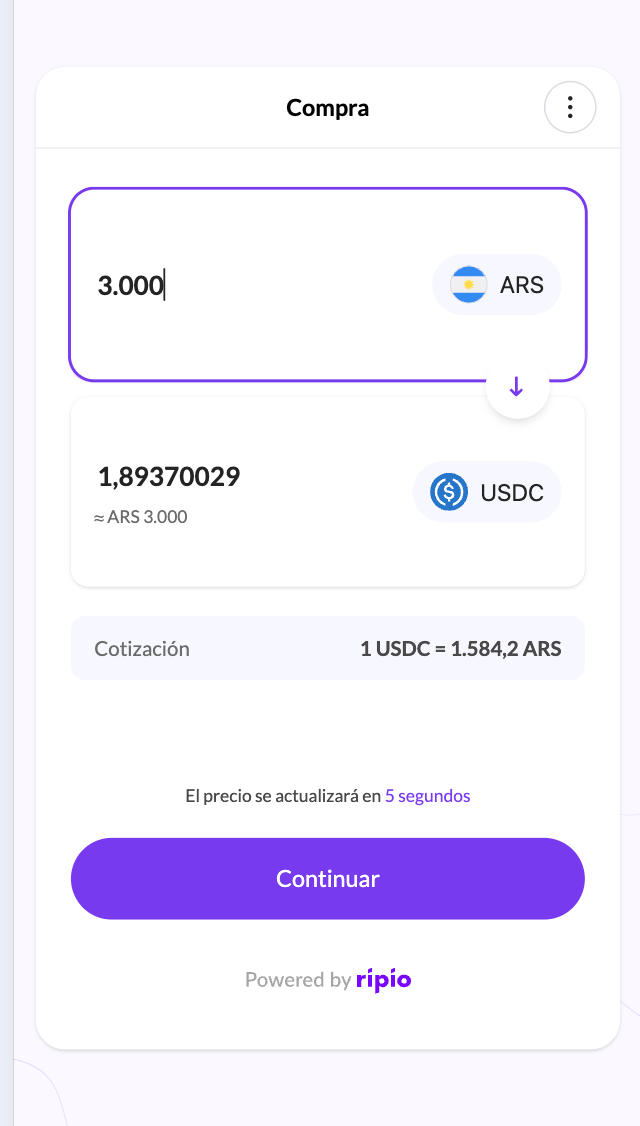
2
Choose a network
Limited to the networks enabled for your account.
3
Confirm the destination address
Prefilled when you passed
_addr, or when the user has an address on file. Otherwise they enter it.4
Choose how to pay and confirm
Only the payment methods enabled for your account and country are offered. The confirmation screen breaks the cost down before the user commits.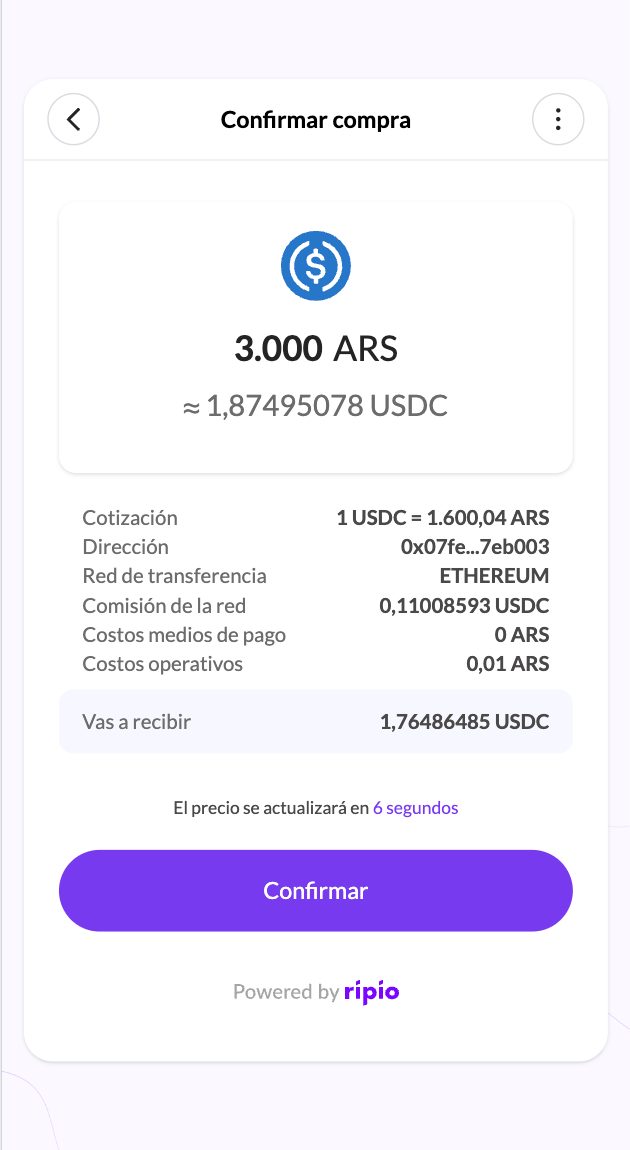
Where the flow goes from there
In Brazil the BR Code is issued with the order itself, so there is nothing to wait for — but it expires. The widget shows the remaining time and the user has to start a new order once it runs out.
What your backend observes
The operation produces the ordinary on-ramp event chain, whichever way the user paid:ON-RAMP.DEPOSIT.RECEIVED → ON-RAMP.TRADE.COMPLETED → ON-RAMP.WITHDRAWAL.PROCESSING → ON-RAMP.WITHDRAWAL.COMPLETED
If it fails instead, you get ON-RAMP.ORDER.CANCELLED with a failureReason, and the money is returned to the user — see History and refunds. Full payloads are in On-Ramp Webhook Events.