

The flow
1
Choose an amount
Quoted and refreshed the same way as the on-ramp.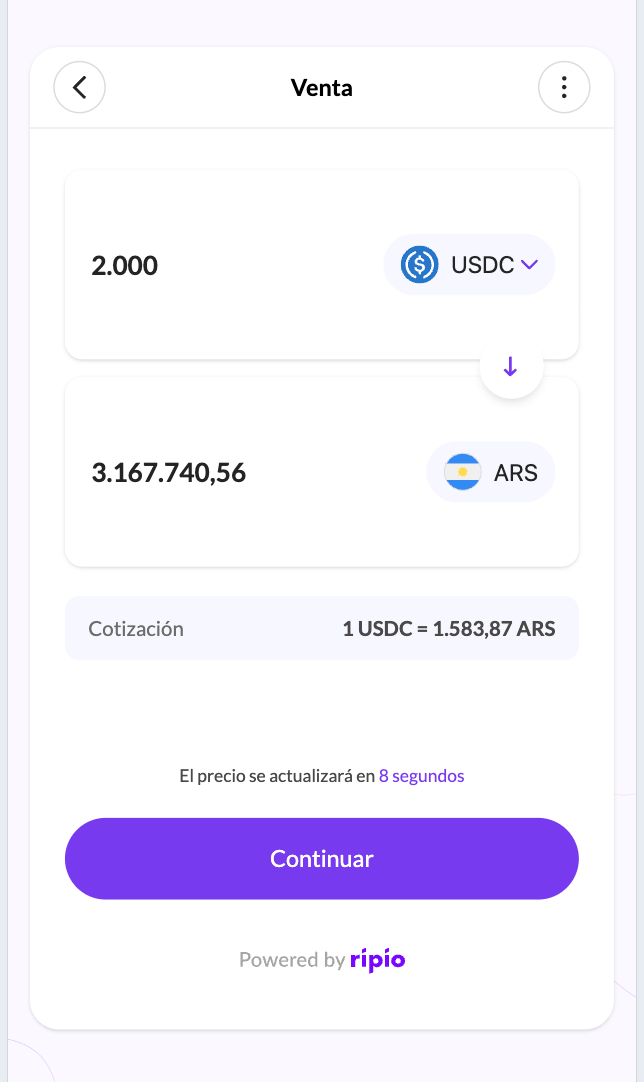
2
Choose where the money should land
The user picks one of their saved destination accounts, or registers a new one.
3
Choose a network and deposit the crypto
The widget shows a deposit address for the chosen network.
4
Ripio sells and pays out
Once the deposit confirms, the crypto is sold and the local currency is sent to the destination account.
The destination account book
Saved accounts persist across sessions, so a returning user sells in a few taps.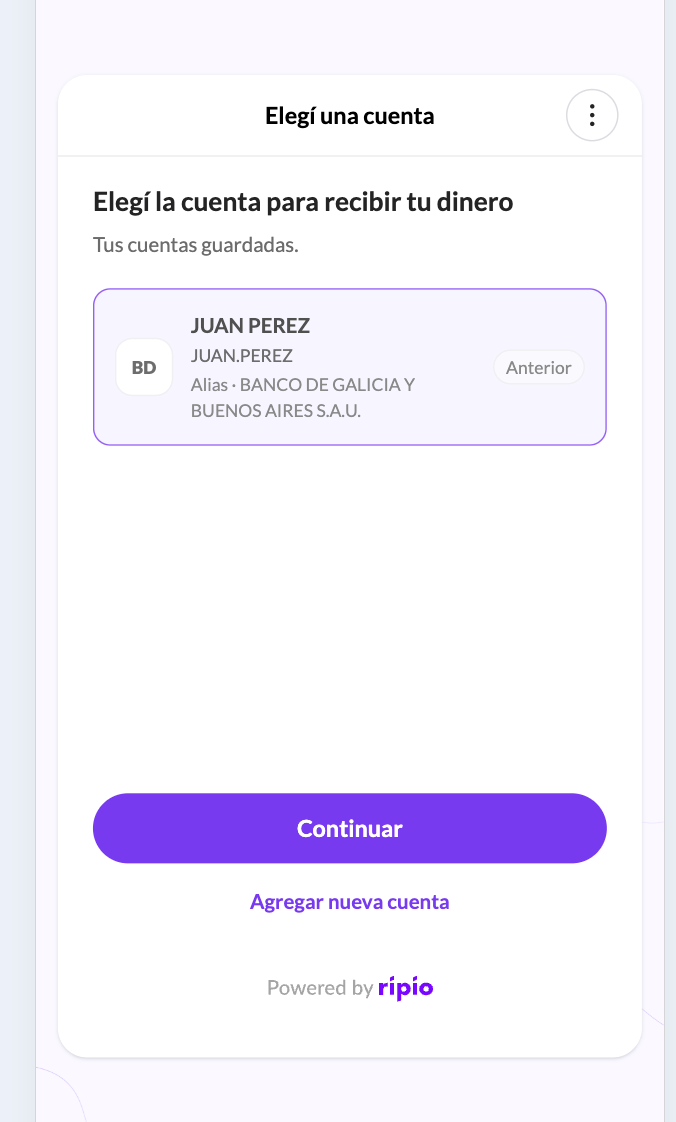
Every account carries a status, and only an
enabled account can receive a payout. The widget marks the others as unselectable and says why:
Brazil: the key’s holder is shown before the account is saved
A Brazilian PIX key is resolved to its account holder while the form is being submitted, so the widget can show the user whose account they are about to be paid into — name, tax ID and bank — and ask them to confirm it. Nothing is asked about the holder up front: the single key field is the whole form. The holder must be the user themselves. When the key belongs to somebody else, the widget shows that same screen with the resolved holder’s details, explains that the destination has to be an account in their own name, and lets them go back and try another key. The account is saved asdisabled and cannot be confirmed.
Two other keys are rejected on the field itself, each with its own message: one that no bank has registered, and one that exists but is not active yet at the user’s bank (a key still being claimed at BACEN, or a cancelled one). See Brazil for the formats a key can take and the errors the API answers with.
The authoritative rules — including the one-active-account-per-payment-method constraint and how a suspended account comes back — are in Fiat account lifecycle. The widget surfaces those rules; it does not change them.
How the user gets back to you
Decided by whether the QR deposit screen is enabled on your account:- Not enabled — the widget redirects to your URL as soon as the sale is confirmed, with transaction parameters appended. The user never sees a deposit screen, so you are expected to send the crypto on their behalf.
- Enabled — the widget shows the deposit address and a QR code so the user sends the crypto themselves, plus a button back to you.
What your backend observes
OFF-RAMP.DEPOSIT.RECEIVED → OFF-RAMP.TRADE.COMPLETED → OFF-RAMP.WITHDRAWAL.PROCESSING → OFF-RAMP.WITHDRAWAL.COMPLETED
A payout that cannot be delivered arrives as OFF-RAMP.ORDER.CANCELLED, and what you can do about it depends on refundable — see Recovering a rejected payout. Full payloads are in Off-Ramp Webhook Events.