

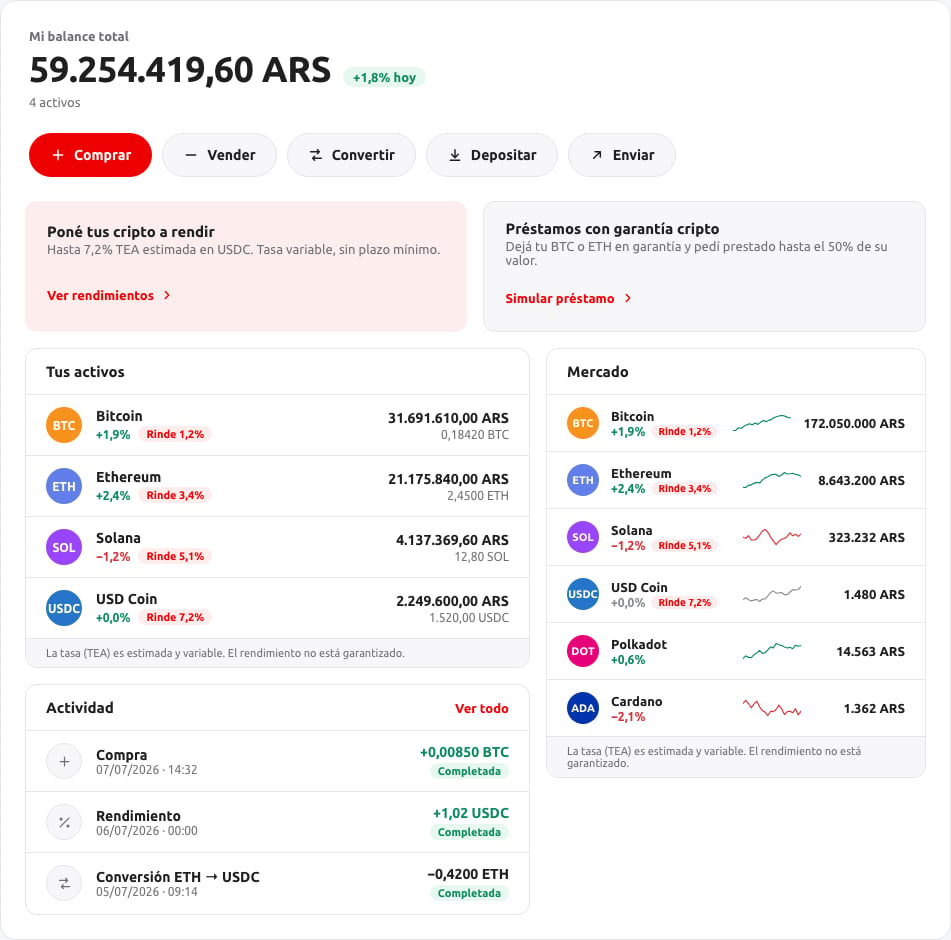
Balance and actions
The total balance valued in the account’s fiat currency, its change, and the action buttons — Buy, Sell, Convert, Deposit, Send — filtered down to the operations the session has enabled (see Overview).The balance’s daily change reflects the change in price of the user’s holdings, not a change in the size of their balance.
Your assets
Each holding the user has, with its 24-hour change and, where the token is enrolled in a yield program, its APY. A zero balance isn’t shown — this is a list of what the user owns, not a catalog of every asset available.Activity
The user’s recent operations, each with its status and a link into its detail. See Buy and sell and Deposit and send for how an operation gets there.Market
Prices and short-term trends for the tokens available on the account, independent of what the user holds.A
null value in a change percentage or price means that figure genuinely isn’t available right now — not zero. The widget hides the corresponding chip or shows an empty state rather than a misleading 0%.